Cheap, Silent, Still Plenty: Six Months With a £400 Second-Hand M1 MacBook Air
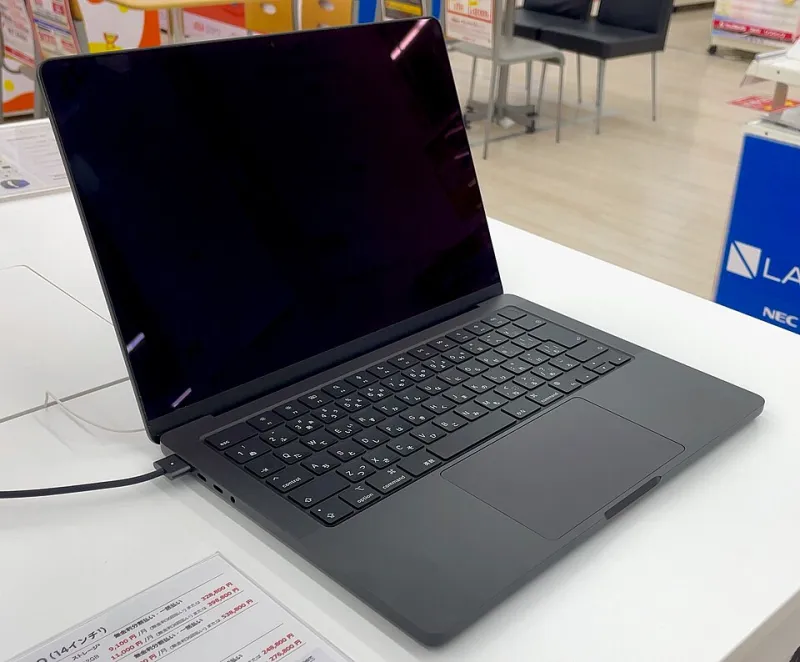
Photo: Kyu3a, CC BY-SA 4.0, via Wikimedia Commons
There is a specific kind of satisfaction in buying a five-year-old laptop and finding it faster than the one you replaced. I paid £405 in May for a refurbished M1 MacBook Air — 8GB of memory, 256GB of storage, a grade that the retailer called "very good", which turned out to mean two faint scratches near the HDMI-less left edge and a hinge that clicks once, quietly, like a knuckle.
Six months and a lot of words later, here's the honest version.
What £400 buys you in November 2026
The market has settled. Base-spec M1 Airs — 8GB/256GB, the configuration that flooded the world during the pandemic — now trade between about £360 and £450 depending on grade, battery condition and whether the seller bothered to include a charger. Step up to 16GB of memory and you're looking at £480–£550, which is the single most worthwhile upgrade in the whole equation. 512GB models sit around £520 and up.
At that money you are competing with new Windows laptops in the £500–£650 bracket and the better Chromebooks. It's not a walkover. But it is a much closer fight than the age of the machine suggests.
The performance question, answered honestly
For writing, browsing, spreadsheets, video calls, Spotify and a frankly unreasonable number of browser tabs, the M1 Air in 2026 feels entirely normal. No fan noise, because there is no fan. Instant wake. Battery that still gets me through a working day at around seven to nine hours of mixed use, depending on how many video calls I subject it to.
The limits are real but narrow. Eight gigabytes of unified memory is the ceiling you'll hit first: twenty-five tabs plus Slack plus a photo editor will start swapping to the SSD, and you'll feel a half-second hesitation when switching windows. If your work involves Docker, long video exports or big Xcode builds, buy the 16GB model or buy something else. For everyone else, the M1 remains absurdly competent — Apple Silicon aged better than almost anyone predicted in 2020.
One thing worth flagging for anyone considering a Mac for the first time: this is a machine that will not run Windows via Boot Camp, and gaming is limited to what Apple Arcade and a small but growing set of native titles offer. If either of those matters, that £400 is better spent elsewhere.
Now the battery bill
The listing said "battery health: excellent". CoconutBattery said 87% and 412 cycles. Both can be true — 87% is fine, not spectacular — and it's the number that will decide whether your cheap MacBook stays cheap.
Apple's UK battery service for a MacBook Air, out of warranty, sits in the region of £130–£160 depending on model and current pricing; independent repair shops with decent reputations will quote £70–£110 fitted, using either genuine pulls or quality third-party cells. Neither is outrageous for what you get — a machine that returns to all-day battery life and, in Apple's case, a service that's properly documented.
Do the maths before you buy: a £400 laptop plus a £120 battery is a £520 laptop. Still decent value, but only if you go in knowing it. Anyone selling an M1 Air at 79% battery health should be pricing it £80 below the going rate, and often isn't.
macOS: how much runway is left?
Apple's usual pattern is roughly five to seven years of full macOS releases after a machine launches. The M1 Air arrived in November 2020, which puts it comfortably into the late 2020s for major updates, with security patches trailing behind that. In plain terms: it's not a machine you're buying for 2035, but it's also not one that's about to be abandoned next autumn. For a £400 outlay, expecting three to four good years of current software is a reasonable bet, and after that it'll still run everything you installed.
The costs that don't make the listing
- A charger. Some refurbishers include one; plenty don't. A genuine 30W USB-C adapter is £35–£45 new, less second-hand. Budget for it.
- The SSD reality check. 256GB fills up fast if you keep photos and video locally. An external SSD is £60–£90 and worth every penny.
- The grade gap. "Very good" and "pristine" can be £50 apart on identical hardware. My scratches are invisible with the lid open. I'd make the same choice again.
- AppleCare. You can't add it to a machine this old through normal channels, so factor in that any repair is on you. Screen damage is the one that stings — a replacement panel runs well over £200 fitted, which is half the price of the laptop. A £12 sleeve is genuinely the best insurance here.
- Resale. In two years, a working M1 Air with a fresh battery will still fetch £200–£250. That softens the depreciation considerably.
Would I buy it again instead of something new?
Yes — with the 16GB caveat and a battery check on the listing. A new entry-level laptop at £550 buys you a warranty, a fresh battery and a couple of years more software support. It does not buy you this keyboard, this trackpad, this screen, or the strange peace of mind of a fanless machine that never gets warm on your knees.
What £400 really buys in 2026 is a laptop that was once aspirational, now cheap enough to treat as a tool rather than an heirloom. Buy the memory upgrade if you can stretch to it, read the cycle count before you pay, and put £100 aside for a battery in a year or two. Do that and the M1 Air remains one of the smartest second-hand purchases in Britain right now.