Cycle Counts and Sticky Screws: How to Vet a Refurbished iPhone or MacBook Like a Mechanic
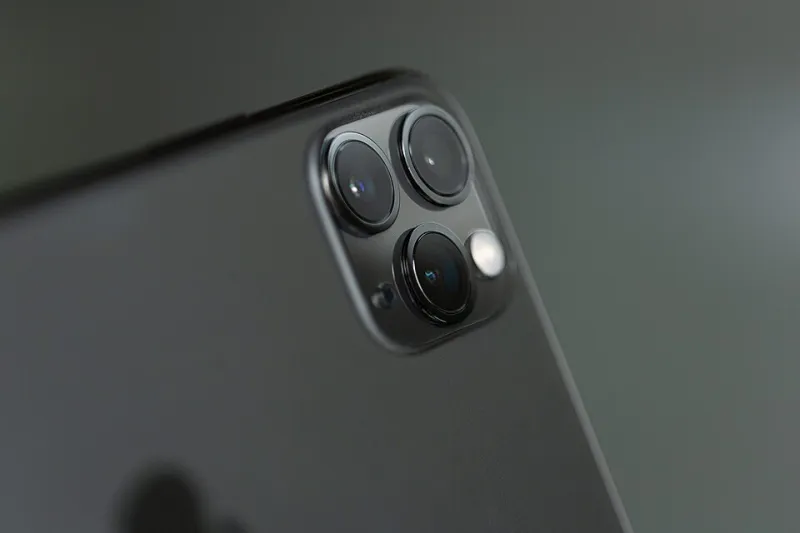
Photo: David Stewart, CC BY 2.0, via Wikimedia Commons
Anyone who has bought a used car knows the mileage isn't the whole story. A 90,000-mile diesel that's done motorway miles is a different proposition to a 60,000-mile one that's spent its life doing school runs in second gear. Battery health has become the same kind of number: loudly advertised, barely explained, and only meaningful once you ask what's behind it.
What '89% battery health' actually measures
On an iPhone, the figure in Settings > Battery > Battery Health is Apple's estimate of maximum capacity relative to when the phone was new. It's an estimate, not a measurement, and it drifts with calibration, temperature and charging habits. It also isn't linear — the drop from 100% to 92% often happens quickly, then things flatten out for years.
On a MacBook, macOS is more blunt. You'll see 'Normal', 'Service Recommended', or nothing at all. Apple's own guidance treats 80% of original capacity as the point where a battery is considered consumed.
What neither number tells you is how hard the battery has worked. For that you need cycles.
Cycle count is the odometer
A cycle is one full discharge, not one charge. Plugging in at 50% and topping up to 100% counts as half a cycle. Apple rates iPhone batteries for roughly 500 complete cycles before capacity drops to about 80%, and MacBook batteries for around 1,000.
So compare these two listings:
- iPhone 13, 89% health, 210 cycles. Barely used. Possibly a spare handset or a lightly-used second phone. Good buy.
- iPhone 13, 89% health, 780 cycles. That phone has been someone's daily driver for four years. The percentage is holding up, but you're near the end of the design life and a service is likely within twelve months.
Same headline number, completely different devices. On a MacBook you can find the cycle count in System Information under Power — ask the seller for a screenshot before you pay. On an iPhone it's buried in Analytics data, so a seller who can produce it is either thorough or using a tool like iMazing. Either way, it's a good sign.
Why a replaced battery can be worse than an old one
This is the bit listings tend to skip. 'Brand new battery, 100% health' sounds like an upgrade. Often it means a third-party cell fitted by someone with a heat gun and a YouTube tutorial.
From the iPhone 15 onwards, iOS will actually flag a non-genuine battery with an 'Unknown Part' warning and a persistent notification. On older models — the iPhone 11 through 14, which is exactly what most refurb buyers are looking at — there's no such warning. A cheap cell can report a healthy percentage while delivering noticeably shorter runtime, losing temperature management, or developing a swollen case eighteen months later.
Worse, a third-party battery often arrives with a reset cycle counter, so the odometer has been wound back to zero. The percentage becomes fiction.
What Apple charges in the UK, for reference
iPhone battery service is around £85 for most modern models out of warranty, cheaper for older handsets. MacBook battery service tends to land between £129 and £169 depending on the model, and can involve replacing more than just the cell. Those are the numbers to hold in your head when a seller promises a 'free battery replacement' — ask who does it, with what part, and whether the work carries its own warranty.
If a phone at 84% is £90 cheaper than an identical one at 95%, that's not automatically a bad deal: you're effectively pre-paying for the Apple service and getting a genuine cell fitted by people who do it properly. If it's £20 cheaper, walk away.
The red flags that suggest it's been opened
- Pentalobe screws with chewed heads. Apple's five-point screws mark easily. A stripped screw means someone has been inside with the wrong tool.
- Adhesive residue or a slightly proud screen. A display that sits a fraction high along one edge has been off and put back on.
- No True Tone option in Settings > Display. Usually means a non-genuine screen was fitted and the display wasn't reprogrammed.
- Water contact indicator triggered. It's in the SIM tray on most iPhones — pink or red instead of white, and the phone has been swimming.
- Serial number mismatch. On a MacBook, check the serial in System Information against the one on the base. If they disagree, the logic board has been swapped.
- A Grade A label with no definition. Ask the seller what it means in writing, and screenshot the answer.
- A MacBook still enrolled in a management profile. Corporate machines sometimes escape without being released from MDM. Check before you pay, not after.
- No cycle count offered, no photo of the battery screen. Not fatal, but it tells you how the seller operates.
When 85% is genuinely fine
Context beats percentage. A MacBook Air that lives on a desk, plugged in, is barely affected by a degraded cell — you'll notice the runtime only on the two occasions a year you take it out. An iPhone bought as a spare, a media remote or a phone for a teenager doesn't need to hit 95%.
The rule of thumb worth carrying: below 80%, assume a service is due and price it in. Between 80% and 87%, buy only if the price reflects it or the warranty covers it. Above 90% with a sensible cycle count, stop worrying and enjoy the discount.
The verdict
Battery health is a headline, cycle count is the story, and the maintenance history is the bit nobody publishes. Ask two questions of every listing — how many cycles, and has it been opened — and you'll filter out most of the disappointments before money changes hands. The rest is just remembering that a cheap battery is only cheap until it isn't.